
Bookings · 5 min read
What does an event venue's website need?
The short answer
Capacity, price and availability — in that order, and most venues publish none of them. Someone planning a wedding or a conference is filtering a dozen venues in an evening, and the ones with no numbers get dropped before a single enquiry. Photographs win the shortlist, but only after the practical answers have got you onto it.
On this page
What somebody planning an event is actually doing
They have a date, a rough headcount and a budget. They are looking at ten or twelve venues in one evening, on a laptop, with a spreadsheet or a notes app open.
For each venue they are asking three questions in order:
- Does it fit? Capacity, seated and standing.
- Can I afford it? Not exactly — roughly.
- Is my date free?
A venue that answers none of those is not evaluated as expensive or unsuitable. It is dropped, because it cannot be compared. The enquiry you never received was lost at that stage, and you have no way of knowing it happened.
The photographs matter enormously — but they decide which of the shortlisted venues gets visited, not which ones make the shortlist.
Publish capacity properly
This sounds obvious and is routinely done badly.
Give real numbers for each configuration and each space: seated dinner, standing reception, theatre, cabaret, boardroom. If you have three rooms, each needs its own numbers, and it should be obvious which rooms can be combined.
Vague capacity — "suitable for large events" — is worse than none, because it forces an enquiry to establish a fact that should have taken two seconds. That enquiry costs your team fifteen minutes and frequently ends in "sorry, we need 200".
The pricing question, which venues get wrong most
"Enquire for pricing" is close to universal in this sector and it is costing you more than it protects.
The argument for it is that pricing is genuinely complex — day of the week, season, headcount, package, whether there is accommodation. All true. And the person planning has to place you in a budget bracket to justify spending an evening on you.
The workable middle:
- A minimum spend or starting price, by season and by day if that is how it works. "Saturdays in peak season from X."
- What the price includes. This matters as much as the number, because a higher price that includes catering may be the cheaper option and the planner cannot tell.
- The extras, named. Corkage, overtime, cleaning, chair covers, AV. Discovering these late is the single most common source of venue complaints, and being upfront reads as confidence rather than as expense.
A venue that publishes a starting price gets fewer enquiries and more bookings. That is a trade worth making, because unqualified enquiries are the largest hidden cost in venue sales. Wider argument in should I put prices on my website.
Availability, and being honest about it
The third question is the one you can most easily answer and almost nobody does.
Even a simple, manually updated "dates still available in September" list saves your team a round of emails and creates real urgency — a planner who can see three Saturdays left behaves differently from one who has no information.
If you cannot maintain live availability, do not fake it. A monthly-updated list with a date on it — "as of 1 September" — is honest and still useful. A stale availability calendar is worse than none, because a planner who is told a date is free and then told it is not remembers that.
What to show beyond the photographs
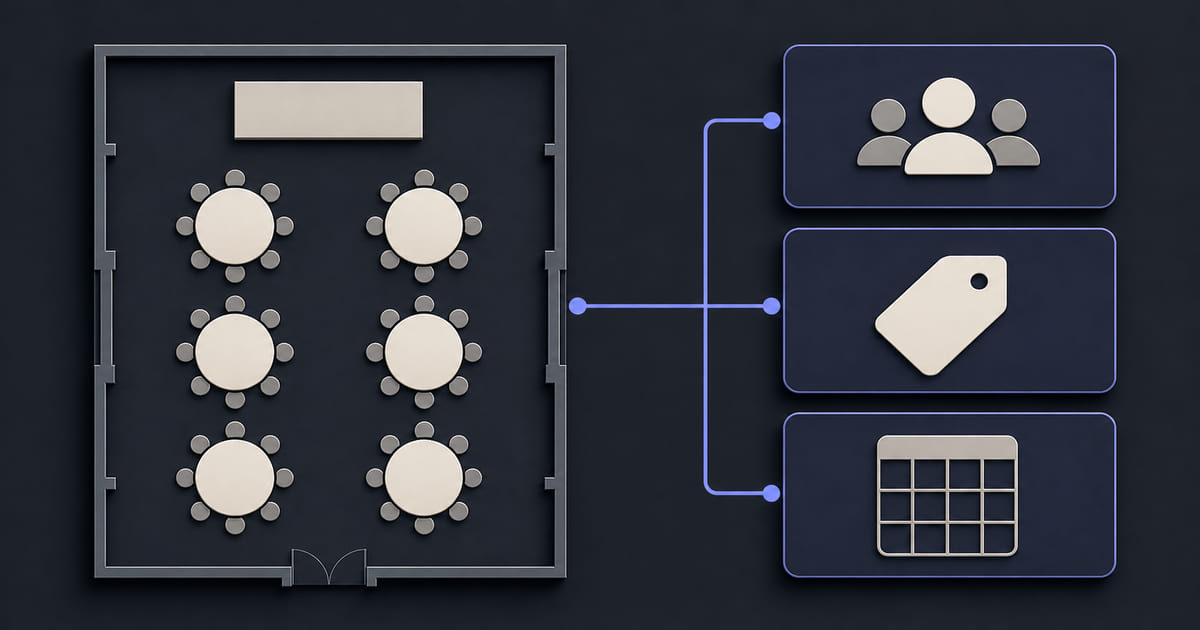
- A floor plan. Planners genuinely use these, and almost no venue publishes one.
- A range of set-ups, not just the one beautiful configuration. Show the room empty as well as dressed — planners want to see what they are actually renting.
- Practical logistics. Parking, access, load-in for suppliers, nearest station, accommodation nearby. Boring, and it decides bookings.
- Which suppliers you require or recommend. Exclusive catering is a dealbreaker for some planners; say so early rather than at contract.
- Real events, with headcounts. "A 140-person wedding in this room" is worth more than a styled shoot with no people in it.
What this looks like in Helm
Two things matter for a venue, and both are about what changes.
Bookings is a module on the same dashboard as the website. You get an enquiry inbox and the bookable spaces behind it — each room as its own resource, so parallel availability works the way a multi-room venue needs. On your own domain, at a flat cost regardless of how many events you host, which is the opposite of a listing platform's economics. The same logic as a padel court or sports venue: you are booking space, in parallel, not one person's time.
Prices, packages, capacity and availability are fields you edit. That is what makes publishing them survivable. Seasonal pricing changes, packages change, and a venue that has to email somebody to update a minimum spend will simply revert to "enquire for pricing" — which is how most venues ended up there in the first place.
Forms come with every subscription too, so enquiries land in a proper inbox with spam handled and the planner gets an automatic reply carrying your venue's branding rather than a bare acknowledgement.
The short version
Publish capacity by room and configuration, a starting price with what it includes, and some honest indication of availability. Show the floor plan and the empty room, not only the dressed one. Then keep it current — because in this sector the enquiries you lose are invisible, and they are lost at the filtering stage rather than at the price.