

Move from WooCommerce

Your WooCommerce store, moved to Helm.

What moves from WooCommerce to Helm, how to export each part, and what stays behind. Or send us your files and we’ll move it for you.

Example · Shop → Products → Import
Shop · Import productswc-product-export.csvWooCommerce
18products42variants61images
Linen shirt3 sizes · 2 colours$34.00New
Olive oil soapNo options$6.50New
Gift box2 sizes$22.00New
Line 14No price, so it comes in as a draftCheck
Not brought inDiscount codes, gift card balances
Bring in 18 productsUndo for 7 days

What moves

Most of your store comes across, and here’s what doesn’t.

Moves with an import

  • ProductsVariants, prices, stock, images, collections, tags, SEO titlesShop
  • CustomersName, email, phoneCustomers
  • Blog postsWith their old linksBlog

Moves with one step

  • Your domainPoint it to Helm, or transfer it
  • Old product linksEach leads to the product’s new page

Stays behind

  • Customer passwordsCustomers sign in by email code, or set a new one
  • Discount codesHelm’s Shop has none yet
  • Past ordersThey stay in your WooCommerce export
  • Plugins and your theme

Before you start: keep your WooCommerce store open until the move is done. Helm copies your product images from it, because the export file holds image links, not the images themselves.

The steps

Seven steps, one thing each.

1WooCommerce

Export your products

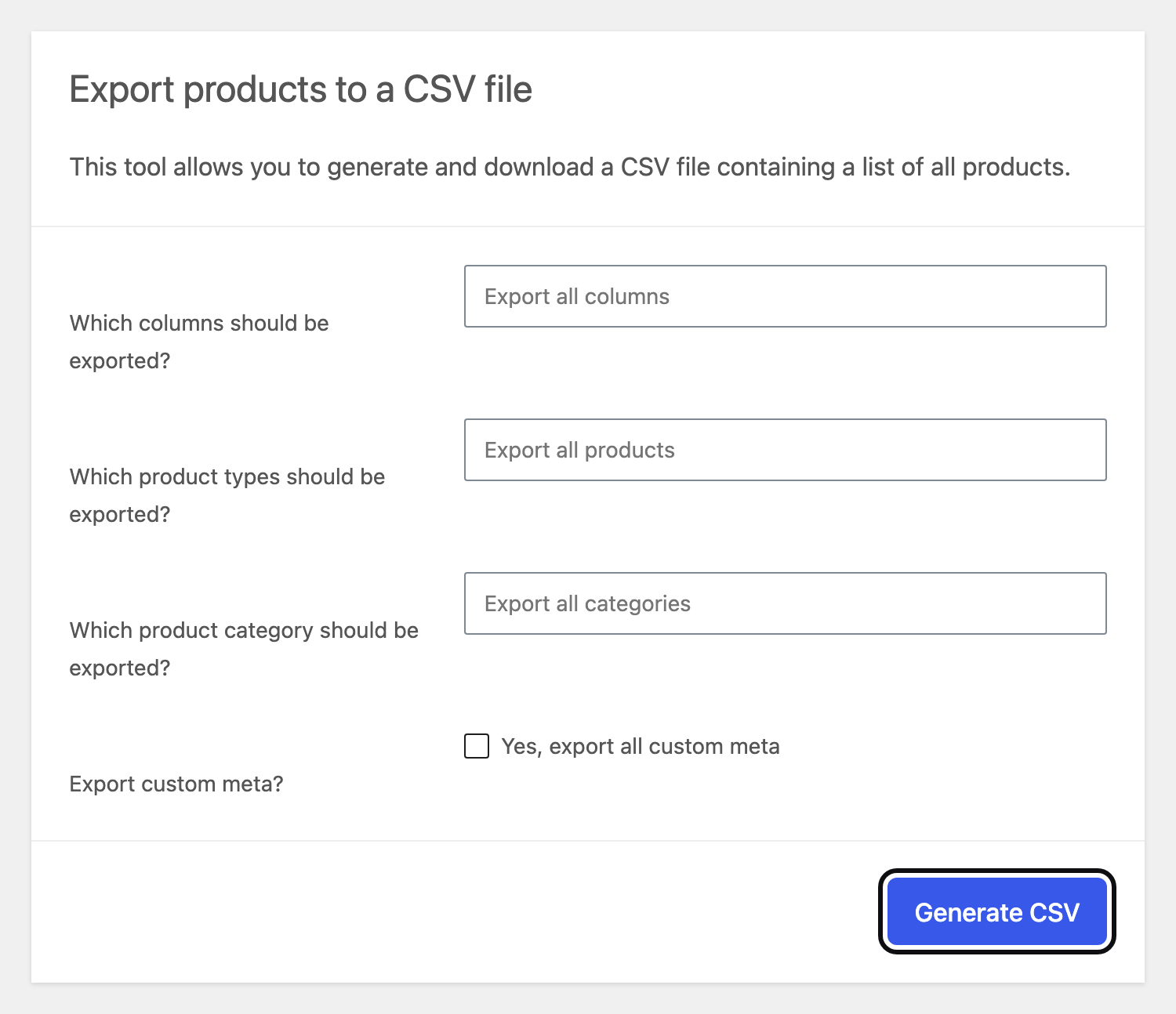
Open Products and press Export. Leave every option on “all”, then Generate CSV. The file downloads.
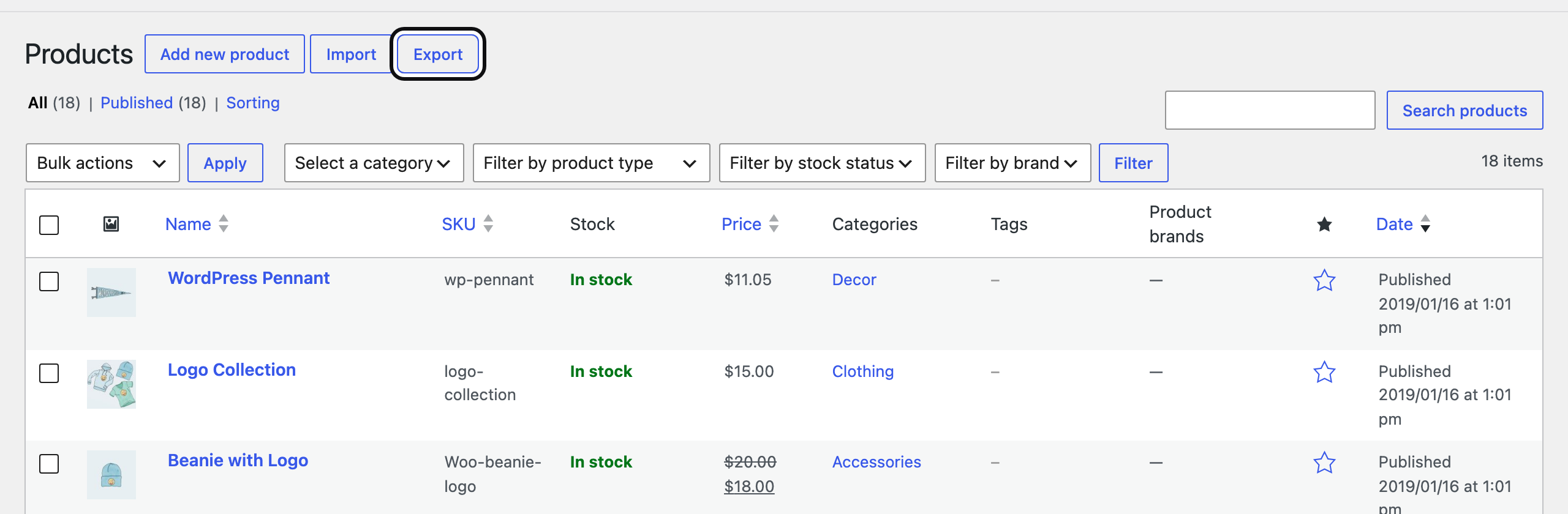
Products → Export
Products → Export · 7 Nov 2026 · WordPress 7.1.4, WooCommerce 11.2.2
Generate CSV
Generate CSV · 7 Nov 2026 · WordPress 7.1.4, WooCommerce 11.2.2
2WooCommerce

Download your customers

Open WooCommerce → Customers and press Download. It’s free, with no extension needed.
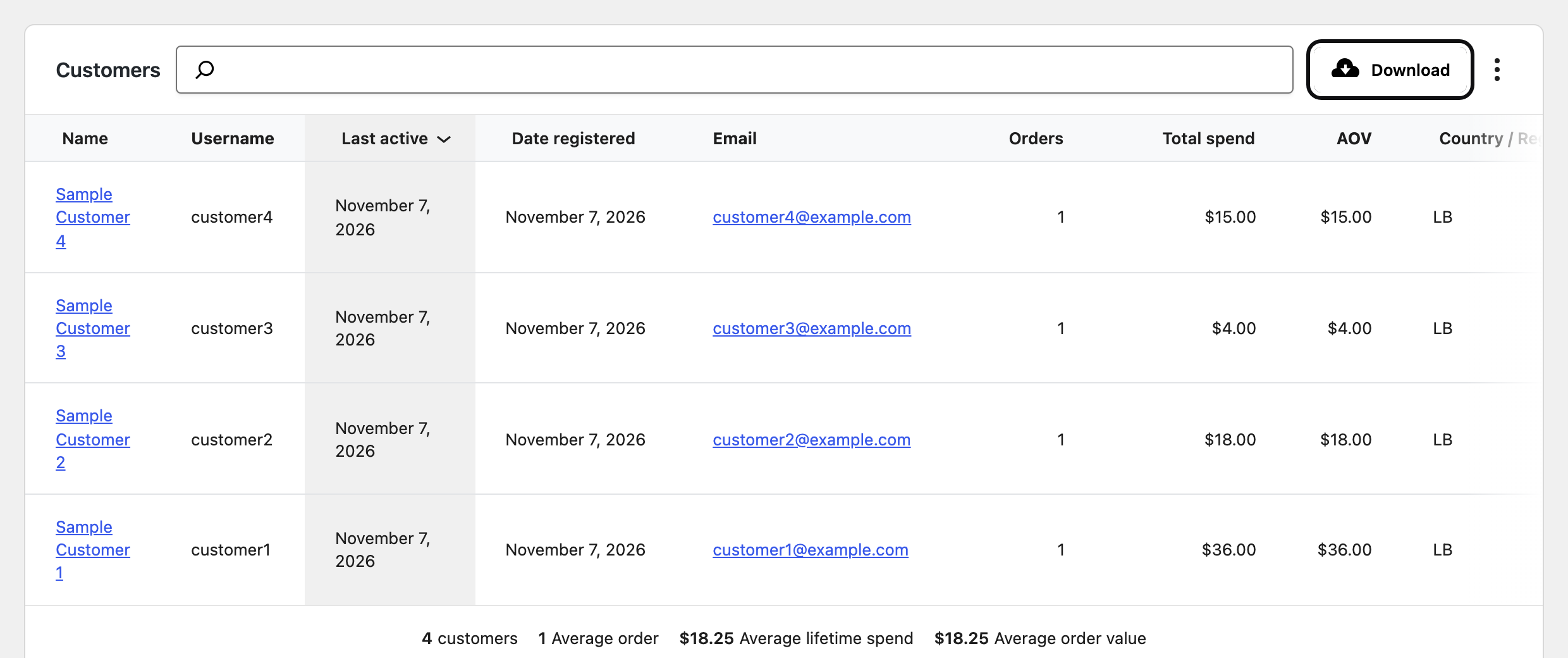
WooCommerce → Customers → Download
WooCommerce → Customers → Download · 7 Nov 2026 · WordPress 7.1.4, WooCommerce 11.2.2
3Helm

Bring in your products

In Helm, open Shop → Products → Import and drop the products file. Check what Helm found, then bring them in. You can undo it for 7 days.

Example · Shop → Products → Import
Shop · Import productswc-product-export.csvWooCommerce
18products42variants61images
Linen shirt3 sizes · 2 colours$34.00New
Olive oil soapNo options$6.50New
Gift box2 sizes$22.00New
Line 14No price, so it comes in as a draftCheck
Not brought inDiscount codes, gift card balances
Bring in 18 productsUndo for 7 days
4Helm

Bring in your customers

Open Customers, then Bring in your customers: Upload, Match columns, Check. Nobody gets an email, and nobody is signed up to anything.

Example
Bring in your customers
1Upload2Match columns3Check
Your columnGoes into
EmailEmail
First NameName
PhonePhone
Accepts Email MarketingLeave out

People who already exist are matched by email and updated. Nothing is deleted.

Continue
5WordPress, then Helm

Bring in your blog

In WordPress, open Tools → Export and press Download Export File. Then in Helm, open Blog → Import posts and drop that file.
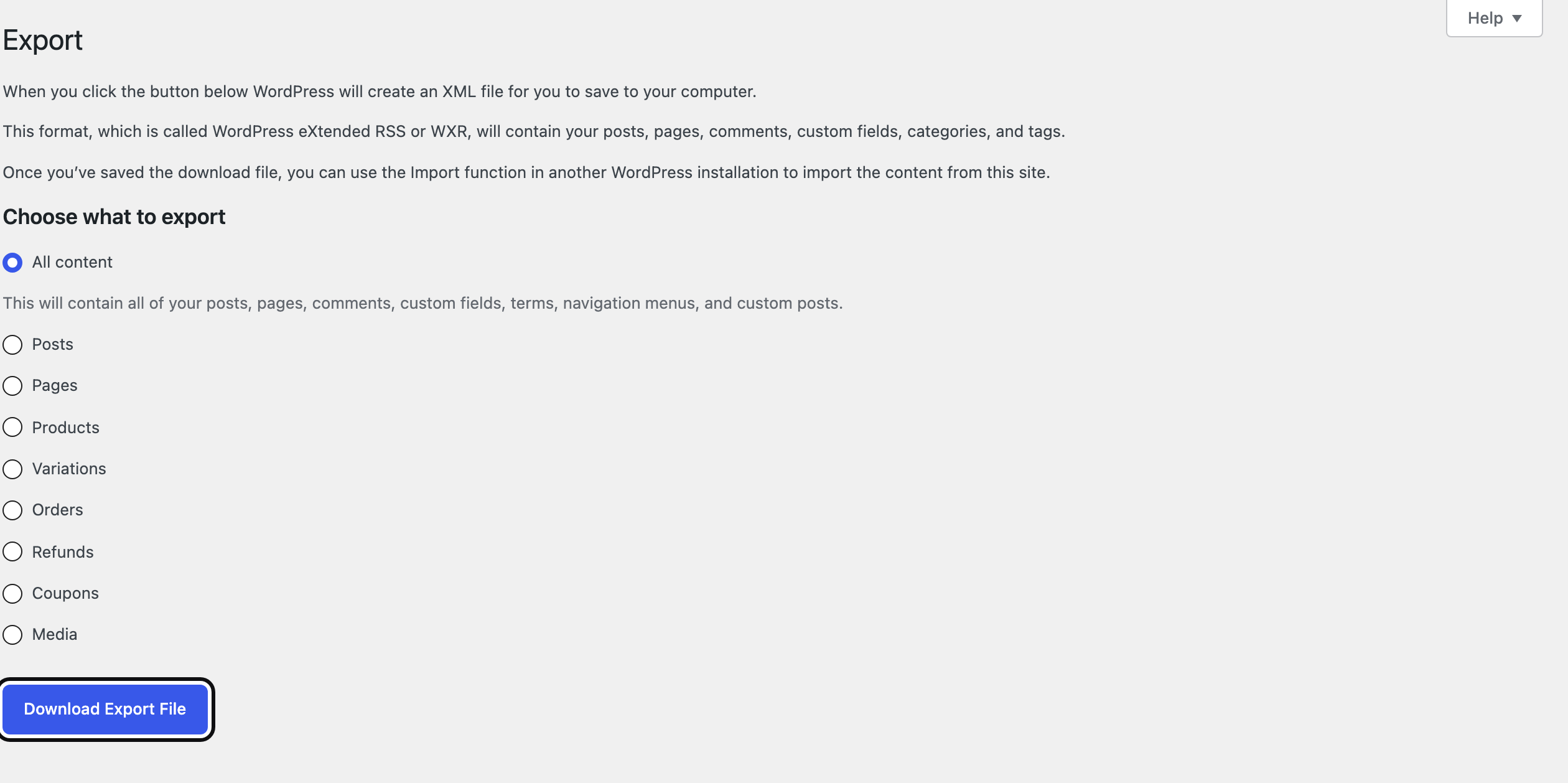
WordPress: Tools → Export
WordPress: Tools → Export · 7 Nov 2026 · WordPress 7.1.4, WooCommerce 11.2.2
6Your domain

Point your domain to Helm

Your domain is with your host or registrar. Connect it in Helm’s domain settings. Once it points to Helm, old product links lead to their new pages.

Example · your old links, kept
Your domainConnected
your-business.comPoints to Helm
Old linkNow leads to
/product/linen-shirt/shop/linen-shirt
/product/olive-oil-soap/shop/olive-oil-soap
/product/gift-box/shop/gift-box

18 old product links lead to their new pages.

7Your customers

Tell your customers

Put your new site in your Instagram bio and WhatsApp profile. Email only the people who agreed to hear from you.

Or let us do it

Rather we did it? We’ll move you.

Send your store’s address and what to move. Our team moves your products, customers, blog and domain by hand.

  • Free with a Helm trial or plan
  • We reply to your request within one business day
What to move

What you share here is handled as our Privacy Policy describes.

Questions

Will my old links still work?

Yes, once your domain points to Helm: each imported product’s old address sends people to its new page.

Do my customers need new passwords?

Passwords can’t be moved out of WooCommerce. Your customers sign in to Helm with a code sent by email, or set a new password.

Can I keep selling on Instagram?

Yes. Helm’s Shop makes a product feed for Meta (Instagram and Facebook shopping), in English or Arabic.

Can I take my data with me later?

Yes. Products, orders and customers export as CSV files.

Selling in Lebanon? See how Helm runs an online store in Lebanon, compare Helm and Shopify, or see every moving guide.